• PRODUCT TOUR
A guided walk through the workspace
The five screens practitioners spend their time in, built around requirements and peer signal.
01
· DASHBOARD
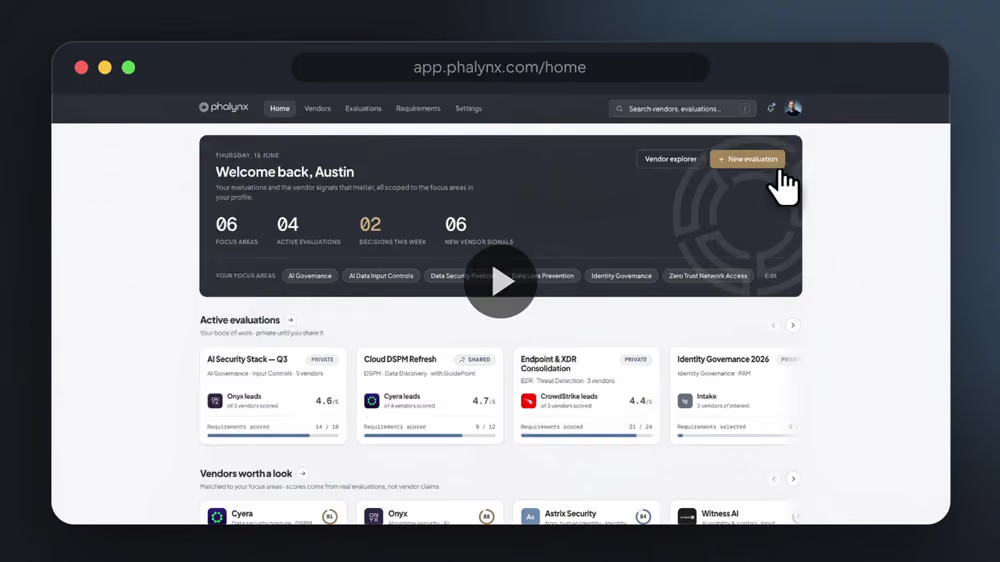
Your evaluation command center
Walk in to exactly what’s moving. Active projects, live evaluations, the vendor in focus and the events worth your time, all in one glance.
Projects and evaluations progress at a glance
Vendor-in-focus matched to your profile
Real market insights, not marketing noise

02
· PROJECT MANAGEMENT
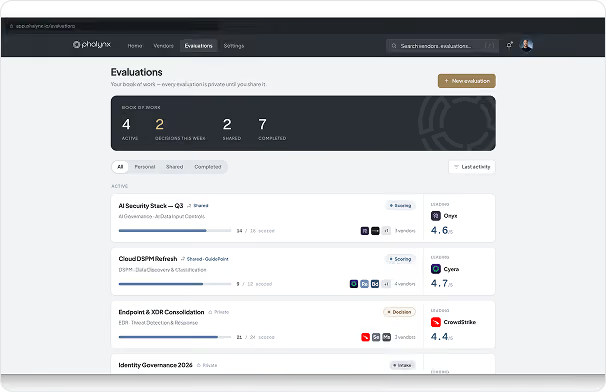
Run every evaluation as a project
Track status, vendor progress and top focus areas across the whole portfolio, then drill into any project without losing the thread.
Portfolio-wide status and vendor progress
Requirements and focus areas per project
Top-scored vendors surfaced automatically
03
· REQUIREMENTS LIBRARY
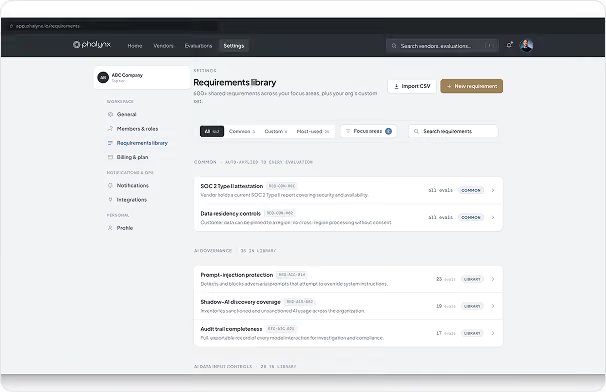
Start from a shared source of truth
A curated, searchable library of solution requirements organized by security domain. Reuse battle-tested criteria instead of reinventing them.
Browse by security domain and focus area
Tagged technical and innovative criteria
Drop straight into any project
04
· VENDOR DIRECTORY
Find vendors by signal, decide as a team
Search vendors enriched with peer signal: followers, demos, interactions and recommendations from practitioners who have actually evaluated them. Shortlist straight into a shared evaluation.
Recommended and following filters
Peer interaction counts on every card
Shortlist into a shared team evaluation

05
· VENDOR DRILL-DOWN
Go deep, then score what matters
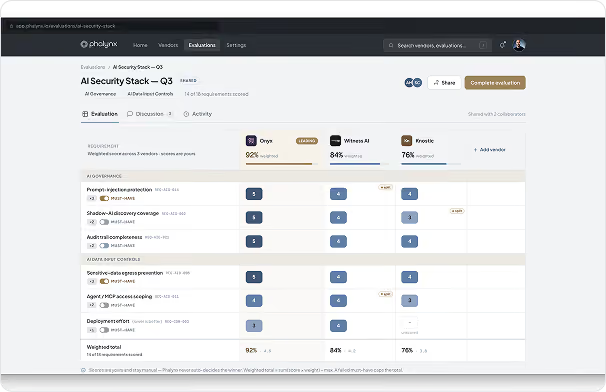
Every vendor fully drawn out: products, use cases, funding and integrations, scored across your weighted requirements. See matched versus critical coverage and fit, side by side.
Products, use cases, funding and integrations
Cumulative eval score by focus area
Requirement match and critical coverage